AI Image Upscaler: High-Fidelity 4K Reconstruction
Reconstruct high-frequency details and transform low-pixel artifacts into breathtaking 1080p, 1440p, or 2160p (4K) visuals.
Click or drag to upload a reference image
0/1
Pro Tip
Upload a high-quality image for best results. The AI will automatically detect and enhance details.
What is Image Upscaler?
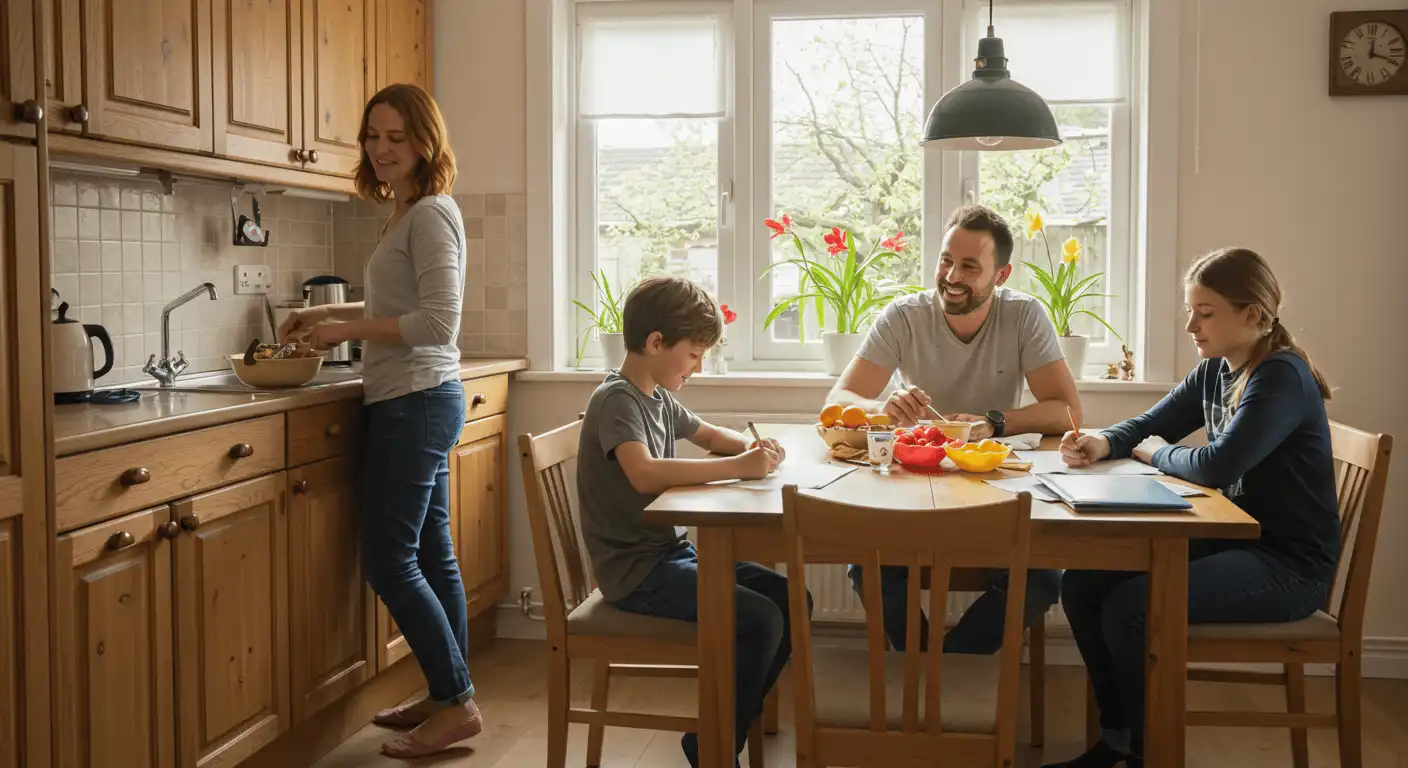
Standard resizing is a relic of the past. Our AI Image Upscaler doesn't just stretch images; it synthesizes reality. Built on advanced neural-pattern recognition, this engine predicts missing visual structures and restores high-frequency details that were lost to compression or low-resolution sensors. It is the ultimate solution for breathing life into blurry, pixelated source files, converting them into crisp, print-ready masterpieces optimized for 4K Ultra HD displays.
Why Choose Our Image Upscaler?

Neural Detail Synthesis
Stop settling for "smooth" blurs. The AI Image Upscaler uses deep-learning patterns to synthesize new high-frequency details. Whether it's the micro-texture of skin or the sharp edge of a distant skyline, our technology rebuilds your image with a level of crispness that makes it look like it was captured in native 4K.

Fidelity Preservation Engine
Unlike traditional upscalers that introduce "plastic" textures, our engine preserves the soul of your image. It intelligently separates essential visual data from noise, ensuring that your 1080p, 1440p, or 2160p output remains authentic, grounded, and free from the typical artifacts of low-quality AI generation.

Intelligent Artifact Suppression
Old JPEGs and low-res web images are plagued by "blocky" noise. Our AI Image Upscaler identifies these digital distortions and replaces them with clean, logical gradients. It purifies the visual field while maintaining structural integrity, delivering a studio-grade finish that is ready for high-end professional use.
How to Use Image Upscaler
Inject Your Low-Res Source
Upload your low-pixel JPG, PNG, or WebP file. Our engine immediately maps the existing visual data to identify the most critical areas for neural reconstruction.
Define Your Target Output
Select your professional display standard: 1080p (Full HD), 1440p (QHD), or 2160p (4K). The model adapts its synthesis logic to match the exact pixel density of your chosen resolution.
Deploy Your High-Fidelity Masterpiece
In seconds, the reconstruction is complete. Download your enhanced, print-ready asset and experience a level of visual depth and clarity that was previously hidden within the pixels.
What Our Users Say
"I had a tiny 400px asset that looked like a mosaic. After running it through the AI Image Upscaler at 2160p, the clarity was shocking. It didn't just look 'bigger'—it looked like it was shot on a cinema camera."
James Carter
Senior Graphic Designer
"We use this upscaler for all our legacy product shots. Upgrading our catalog to 1440p has given our store a premium, 'Retina-ready' feel that has noticeably improved our customer trust and conversion."
Sophie Lin
E-commerce Director
"AI art can often feel 'soft' at standard resolutions. This tool is my final step—hitting 2160p brings out a crispness in the brushstrokes that makes my digital work gallery-ready for large-scale printing."
Kenji Sato
Digital Artist
"Restoring family photos from the early 2000s was a revelation. Upscaling to 1080p didn't just sharpen the images; it recovered facial expressions and textures I thought were lost to time."
Arthur Miller
Photography Enthusiast
"Low-pixel event photos used to be a nightmare for our brand's Instagram. Now, we upscale everything to 1080p first. The results are ultra-clean and consistent with our high-end aesthetic."
Liam Brooks
Social Media Manager
"In architectural visualization, rendering 4K takes hours. We’ve optimized our workflow by rendering at 1080p and using the AI Image Upscaler to hit 2160p. It delivers the same professional-grade finish in a fraction of the time."
David Rossi
Architectural Visualizer
Frequently Asked Questions
How does this differ from regular image resizing?
Regular resizing simply stretches existing pixels, causing blur. Our engine predicts and synthesizes missing data using learned neural patterns, creating actual detail and sharpness as it reaches your target resolution.
Which resolution should I choose?
It depends on your goal: 1080p is perfect for social media; 1440p is the professional standard for web design; 2160p (4K) is ideal for large-scale printing and high-end monitors.
Can it restore a completely blurry photo?
It excels at adding resolution and "reconstructing" features. While it can't invent a face where none exists, it drastically enhances the clarity and depth of most low-quality or compressed files.
Is the output print-ready?
Absolutely. By targeting 2160p, you generate enough pixel density for high-quality printing, ensuring your physical assets look just as sharp as they do on screen.
How are credits consumed?
Credits are applied per reconstruction. Complex tasks like 2160p (4K) synthesis require more neural processing power and slightly more credits, ensuring the highest possible fidelity.
How long does upscaling take?
Processing ranges from 10 to 30 seconds depending on size and scale.
Ready to Upscale Your Images?
End the low-res limit. Join thousands of experts redefining clarity with AI Image Upscaler.